

什么是VoceChat?
VoceChat是一款轻量级, 可私有化部署的自建即时通讯系统, 可实现数据完全自我掌控, 非常适合个人及小团队私有通讯场景,且可支持手机及PC端. 在非
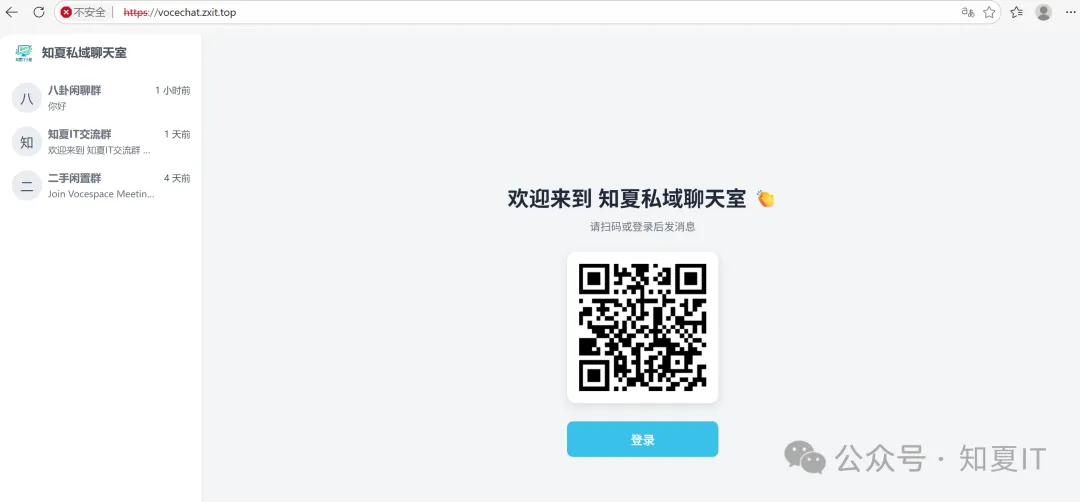
源如下, 可依照实际情况进行调整, 话不多说, 下面开始进行部署演示
root@ubuntu01:~# lsb_release -a
No LSB modules are available.
Distributor ID: Ubuntu
Description:    Ubuntu 26.04 LTS
Release:        26.04
Codename:       resolute
root@ubuntu01:~# grep processor /proc/cpuinfo | wc -l
2
root@ubuntu01:~# grep MemTotal /proc/meminfo
MemTotal:        1681916 kB
root@ubuntu01:~# lsblk
NAME        MAJ:MIN RM  SIZE RO TYPE MOUNTPOINTS
sr0          11:0    1  2.7G  0 rom
vda         253:0    0  100G  0 disk
├─vda1      253:1    0    1M  0 part
├─vda2      253:2    0    2G  0 part /boot
├─vda3      253:3    0   20G  0 part /userap
└─vda4      253:4    0   78G  0 part /
vdb         253:16   0  100G  0 disk
└─vg01-lv01 252:0    0  100G  0 lvm  /data
配置阿里云APT源
为方便后续安装软件, 配置APT源为阿里云
root@ubuntu01:~# cp /etc/apt/sources.list /etc/apt/sources.list.bak
root@ubuntu01:~# tee /etc/apt/sources.list <<EOF
deb http://mirrors.aliyun.com/ubuntu/ noble main restricted universe multiverse
deb http://mirrors.aliyun.com/ubuntu/ noble-security main restricted universe multiverse
deb http://mirrors.aliyun.com/ubuntu/ noble-updates main restricted universe multiverse
deb http://mirrors.aliyun.com/ubuntu/ noble-backports main restricted universe multiverse
EOF
deb http://mirrors.aliyun.com/ubuntu/ noble main restricted universe multiverse
deb http://mirrors.aliyun.com/ubuntu/ noble-security main restricted universe multiverse
deb http://mirrors.aliyun.com/ubuntu/ noble-updates main restricted universe multiverse
deb http://mirrors.aliyun.com/ubuntu/ noble-backports main restricted universe multiverse
root@ubuntu01:~# apt update
Hit:1 http://mirrors.aliyun.com/ubuntu noble InRelease
Get:2 http://mirrors.aliyun.com/ubuntu noble-security InRelease [126 kB]
Get:3 http://mirrors.aliyun.com/ubuntu noble-updates InRelease [126 kB]
Get:4 http://mirrors.aliyun.com/ubuntu noble-backports InRelease [126 kB]
Get:5 http://mirrors.aliyun.com/ubuntu noble-security/main amd64 Components [45.0 kB]
Get:6 http://mirrors.aliyun.com/ubuntu noble-security/universe amd64 Components [76.2 kB]
Get:7 http://mirrors.aliyun.com/ubuntu noble-updates/main amd64 Components [180 kB]
Get:8 http://mirrors.aliyun.com/ubuntu noble-updates/universe amd64 Components [388 kB]
Get:9 http://mirrors.aliyun.com/ubuntu noble-updates/multiverse amd64 Components [940 B]
Get:10 http://mirrors.aliyun.com/ubuntu noble-backports/main amd64 Components [5,776 B]
Get:11 http://mirrors.aliyun.com/ubuntu noble-backports/universe amd64 Components [10.5 kB]
安装Docker
安装依赖工具
root@ubuntu01:~# apt install -y ca-certificates curl gnupg lsb-release
ca-certificates is already the newest version (20260601~26.04.1).
导入阿里云docker gpg密钥
root@ubuntu01:~# mkdir -p /etc/apt/trusted.gpg.d
root@ubuntu01:~# curl -fsSL https://mirrors.aliyun.com/docker-ce/linux/ubuntu/gpg | sudo gpg --dearmor -o /etc/apt/trusted.gpg.d/docker-ali.gpg
写入阿里云docker apt源
root@ubuntu01:~# echo "deb [arch=$(dpkg --print-architecture) signed-by=/etc/apt/trusted.gpg.d/docker-ali.gpg] https://mirrors.aliyun.com/docker-ce/linux/ubuntu $(lsb_release -cs) stable" | tee /etc/apt/sources.list.d/docker.list
deb [arch=amd64 signed-by=/etc/apt/trusted.gpg.d/docker-ali.gpg] https://mirrors.aliyun.com/docker-ce/linux/ubuntu resolute stable
root@ubuntu01:~#
执行docker安装
root@ubuntu01:~# apt update
Hit:1 http://mirrors.aliyun.com/ubuntu noble InRelease
Hit:2 http://mirrors.aliyun.com/ubuntu noble-security InRelease
Hit:3 http://mirrors.aliyun.com/ubuntu noble-updates InRelease
Get:4 https://mirrors.aliyun.com/docker-ce/linux/ubuntu resolute InRelease [32.5 kB]
Hit:5 http://mirrors.aliyun.com/ubuntu noble-backports InRelease
Get:6 https://mirrors.aliyun.com/docker-ce/linux/ubuntu resolute/stable amd64 Packages [18.7 kB]
Fetched 51.2 kB in 0s (180 kB/s)
1 package can be upgraded. Run 'apt list --upgradable' to see it.
Notice: Some sources can be modernized. Run 'apt modernize-sources' to do so.
root@ubuntu01:~#
root@ubuntu01:~# apt install -y docker-ce docker-ce-cli containerd.io docker-compose-plugin
The following packages were automatically installed and are no longer required:
  linux-headers-7.0.0-14          linux-image-unsigned-7.0.0-14-generic    linux-modules-7.0.0-14-generic  linux-tools-7.0.0-14-generic
  linux-headers-7.0.0-14-generic  linux-main-modules-zfs-7.0.0-14-generic  linux-tools-7.0.0-14
Use 'apt autoremove' to remove them.
Installing:
  containerd.io  docker-ce  docker-ce-cli  docker-compose-plugin
Installing dependencies:
  docker-buildx-plugin  docker-ce-rootless-extras  pigz
Suggested packages:
  cgroupfs-mount  | cgroup-lite  docker-model-plugin
Summary:
  Upgrading: 0, Installing: 7, Removing: 0, Not Upgrading: 1
  Download size: 99.3 MB
  Space needed: 380 MB / 71.9 GB available
Get:1 http://mirrors.aliyun.com/ubuntu noble/universe amd64 pigz amd64 2.8-1 [65.6 kB]
Get:2 https://mirrors.aliyun.com/docker-ce/linux/ubuntu resolute/stable amd64 containerd.io amd64 2.2.5-1~ubuntu.26.04~resolute [23.6 MB]
Get:3 https://mirrors.aliyun.com/docker-ce/linux/ubuntu resolute/stable amd64 docker-ce-cli amd64 5:29.6.1-1~ubuntu.26.04~resolute [16.9 MB]
Get:4 https://mirrors.aliyun.com/docker-ce/linux/ubuntu resolute/stable amd64 docker-ce amd64 5:29.6.1-1~ubuntu.26.04~resolute [23.3 MB]
Get:5 https://mirrors.aliyun.com/docker-ce/linux/ubuntu resolute/stable amd64 docker-buildx-plugin amd64 0.35.0-1~ubuntu.26.04~resolute [17.2 MB]
Get:6 https://mirrors.aliyun.com/docker-ce/linux/ubuntu resolute/stable amd64 docker-ce-rootless-extras amd64 5:29.6.1-1~ubuntu.26.04~resolute [10.2 MB]
Get:7 https://mirrors.aliyun.com/docker-ce/linux/ubuntu resolute/stable amd64 docker-compose-plugin amd64 5.2.0-1~ubuntu.26.04~resolute [8,075 kB]
Fetched 99.3 MB in 1min 5s (1,520 kB/s)
Selecting previously unselected package containerd.io.
(Reading database… 139691 files and directories currently installed.)
Preparing to unpack …/0-containerd.io_2.2.5-1~ubuntu.26.04~resolute_amd64.deb…
Unpacking containerd.io (2.2.5-1~ubuntu.26.04~resolute)…
Selecting previously unselected package docker-ce-cli.
Preparing to unpack …/1-docker-ce-cli_5%3a29.6.1-1~ubuntu.26.04~resolute_amd64.deb…
Unpacking docker-ce-cli (5:29.6.1-1~ubuntu.26.04~resolute)…
Selecting previously unselected package docker-ce.
Preparing to unpack …/2-docker-ce_5%3a29.6.1-1~ubuntu.26.04~resolute_amd64.deb…
Unpacking docker-ce (5:29.6.1-1~ubuntu.26.04~resolute)…
Selecting previously unselected package pigz.
Preparing to unpack …/3-pigz_2.8-1_amd64.deb…
Unpacking pigz (2.8-1)…
Selecting previously unselected package docker-buildx-plugin.
Preparing to unpack …/4-docker-buildx-plugin_0.35.0-1~ubuntu.26.04~resolute_amd64.deb…
Unpacking docker-buildx-plugin (0.35.0-1~ubuntu.26.04~resolute)…
Selecting previously unselected package docker-ce-rootless-extras.
Preparing to unpack …/5-docker-ce-rootless-extras_5%3a29.6.1-1~ubuntu.26.04~resolute_amd64.deb…
Unpacking docker-ce-rootless-extras (5:29.6.1-1~ubuntu.26.04~resolute)…
Selecting previously unselected package docker-compose-plugin.
Preparing to unpack …/6-docker-compose-plugin_5.2.0-1~ubuntu.26.04~resolute_amd64.deb…
Unpacking docker-compose-plugin (5.2.0-1~ubuntu.26.04~resolute)…
Setting up docker-buildx-plugin (0.35.0-1~ubuntu.26.04~resolute)…
Setting up containerd.io (2.2.5-1~ubuntu.26.04~resolute)…
Created symlink '/etc/systemd/system/multi-user.target.wants/containerd.service' → '/usr/lib/systemd/system/containerd.service'.
Setting up docker-compose-plugin (5.2.0-1~ubuntu.26.04~resolute)…
Setting up docker-ce-cli (5:29.6.1-1~ubuntu.26.04~resolute)…
Setting up pigz (2.8-1)…
Setting up docker-ce-rootless-extras (5:29.6.1-1~ubuntu.26.04~resolute)…
Setting up docker-ce (5:29.6.1-1~ubuntu.26.04~resolute)…
Created symlink '/etc/systemd/system/multi-user.target.wants/docker.service' → '/usr/lib/systemd/system/docker.service'.
Created symlink '/etc/systemd/system/sockets.target.wants/docker.socket' → '/usr/lib/systemd/system/docker.socket'.
Processing triggers for man-db (2.13.1-1build1)…
Scanning processes...
Scanning linux images...
Running kernel seems to be up-to-date.
No services need to be restarted.
No containers need to be restarted.
No user sessions are running outdated binaries.
No VM guests are running outdated hypervisor (qemu) binaries on this host.
root@ubuntu01:~#
检查是否安装成功
root@ubuntu01:~# docker --version
Docker version 29.6.1, build 8900f1d
root@ubuntu01:~# docker ps
CONTAINER ID   IMAGE     COMMAND   CREATED   STATUS    PORTS     NAMES
root@ubuntu01:~# docker info
修改docker家目录
root@ubuntu01:~# systemctl stop docker
Stopping 'docker.service', but its triggering units are still active:
docker.socket
root@ubuntu01:~# systemctl stop docker.socket containerd
root@ubuntu01:~#  mkdir -p /data/home
root@ubuntu01:~#
root@ubuntu01:~#
root@ubuntu01:~# cd /data/
root@ubuntu01:/data# ll
total 28
drwxr-xr-x  4 root root  4096 Jul  1 10:49 ./
drwxr-xr-x 22 root root  4096 Jul  1 09:49 ../
drwxrwxr-x  2 root root  4096 Jul  1 10:49 home/
drwx------  2 root root 16384 Jul  1 09:50 lost+found/
root@ubuntu01:/data# ll -ld /var/lib/docker/
drwx--x--- 11 root root 4096 Jul  1 10:45 /var/lib/docker//
root@ubuntu01:/data# chmod 710 home/
root@ubuntu01:/data# ll -ld home/
drwx--x--- 2 root root 4096 Jul  1 10:49 home//
root@ubuntu01:/data# rsync -avHAX /var/lib/docker/ /data/home/
sending incremental file list
./
engine-id
buildkit/
buildkit/cache.db
buildkit/history_c8d.db
buildkit/containerd-overlayfs/
buildkit/containerd-overlayfs/metadata_v2.db
buildkit/containerd-overlayfs/workerid
buildkit/containerd-overlayfs/cachemounts/
buildkit/executor/
containers/
image/
image/identity-cache.db
network/
network/files/
network/files/local-kv.db
plugins/
plugins/tmp/
runtimes/
swarm/
tmp/
volumes/
volumes/backingFsBlockDev
volumes/metadata.db
sent 214,338 bytes  received 250 bytes  429,176.00 bytes/sec
total size is 213,053  speedup is 0.99
root@ubuntu01:/data#
root@ubuntu01:/data# vim  /etc/docker/daemon.json
{
  "data-root": "/data/home"
}
重新启动docker服务
root@ubuntu01:/data# systemctl daemon-reload
root@ubuntu01:/data# systemctl start docker
验证是否修改成功
root@ubuntu01:/data# docker info | grep "Docker Root Dir"
 Docker Root Dir: /data/home
root@ubuntu01:/data#
导入VoceChat镜像
本次演示已提前下载好VoceChat镜像, 直接导入
root@ubuntu01:~# cd /home/guzman/
root@ubuntu01:/home/guzman# ll
total 67184
drwxr-x--- 4 guzman guzman     4096 Jul  1 10:11  ./
drwxr-xr-x 3 root   root       4096 Jul  1 09:24  ../
-rw------- 1 guzman guzman      108 Jul  1 10:11  .Xauthority
-rw------- 1 guzman guzman       35 Jul  1 09:48  .bash_history
-rw-r--r-- 1 guzman guzman      220 Feb 13 20:16  .bash_logout
-rw-r--r-- 1 guzman guzman     3771 Feb 13 20:16  .bashrc
drwx------ 2 guzman guzman     4096 Jul  1 09:31  .cache/
-rw-r--r-- 1 guzman guzman      807 Feb 13 20:16  .profile
drwx------ 2 guzman guzman     4096 Jul  1 09:30  .ssh/
-rw-rw-r-- 1 guzman guzman 68755968 Jul  1 09:53  'privoce_vocechat-server(latest).tar'
root@ubuntu01:/home/guzman# docker load -i 'privoce_vocechat-server(latest).tar'
Loaded image: privoce/vocechat-server:latest
root@ubuntu01:/home/guzman# docker images
                         i Info →   U  In Use
IMAGE                            ID             DISK USAGE   CONTENT SIZE   EXTRA
privoce/vocechat-server:latest   b40190e4a777        138MB         68.7MB
启动VoceChat
镜像导入后, 直接拉起
root@ubuntu01:~# mkdir -p /data/vocechat
root@ubuntu01:~#   docker run -d \
  --name vocechat \
  --restart always \
  -p 0.0.0.0:3000:3000 \
  -v /data/vocechat:/home/vocechat-server/data \
  privoce/vocechat-server:latest
90c413c801435b9cf0249510bd3821398b7367f6ae1686c1cc967ea3f0280f0d
root@ubuntu01:~#
root@ubuntu01:~# docker ps
CONTAINER ID   IMAGE                            COMMAND                  CREATED          STATUS          PORTS                    NAMES
90c413c80143   privoce/vocechat-server:latest   "/docker-entrypoint.…"   37 seconds ago   Up 37 seconds   0.0.0.0:3000->3000/tcp   vocechat
root@ubuntu01:~#
设定端口映射
为了方便公网使用, 在路由器上进行端口映射
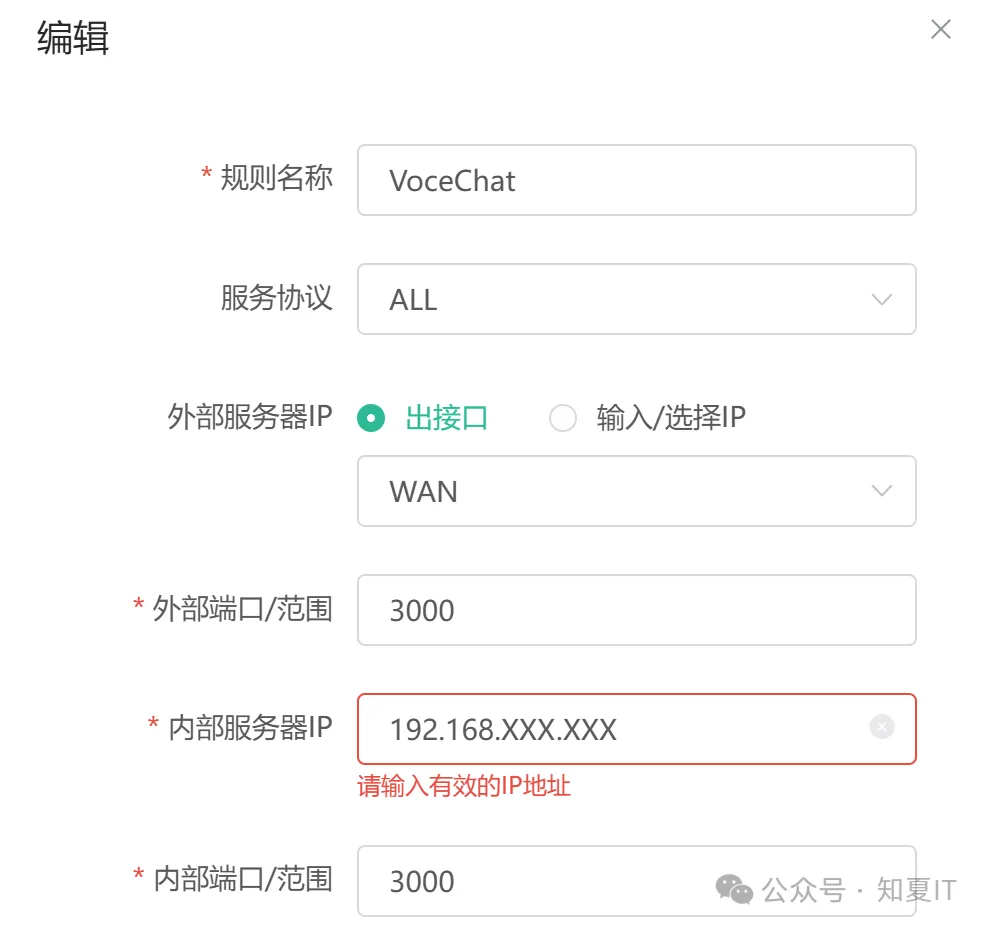
初始化VoceChat
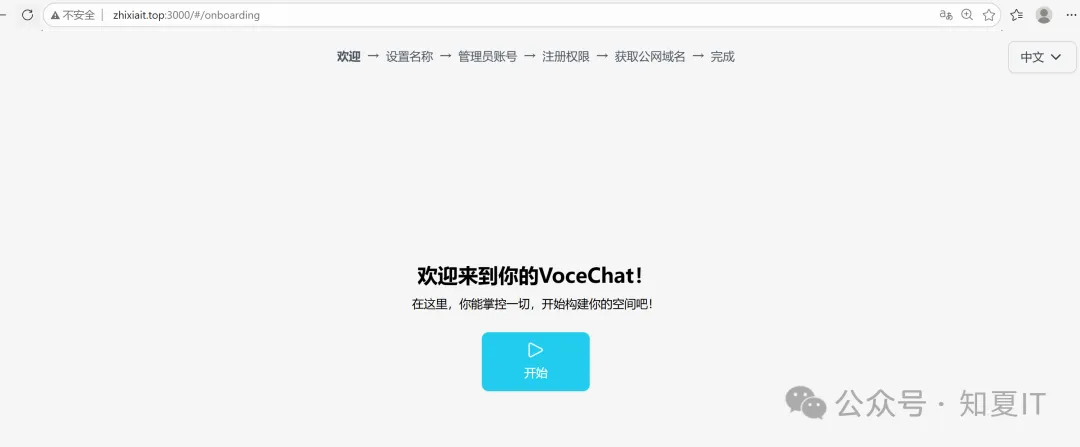
使用浏览器输入http://ip:3000进行访问, 因已有域名且已经做端口映射, 这里直接用域名进行访问 http://zhixiait.top:3000
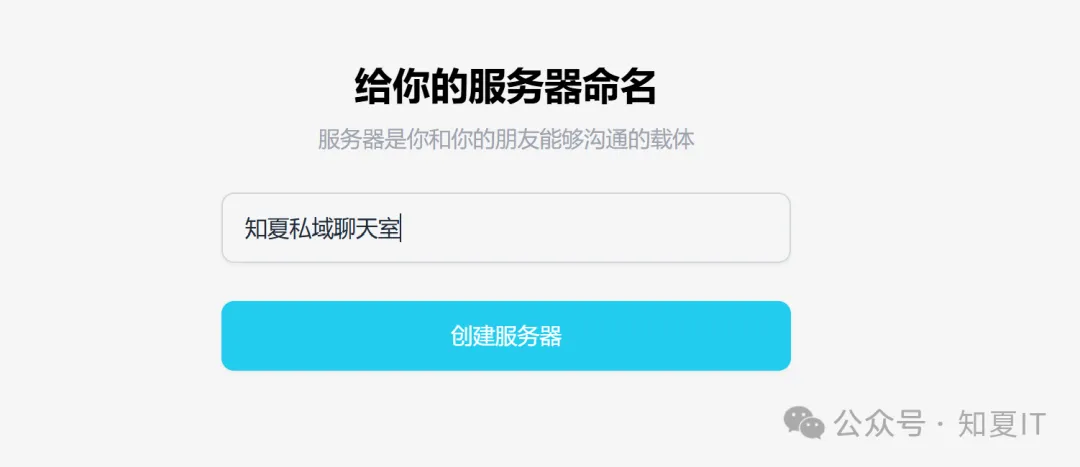
取个名字, 后续管理平台都可以再次修改
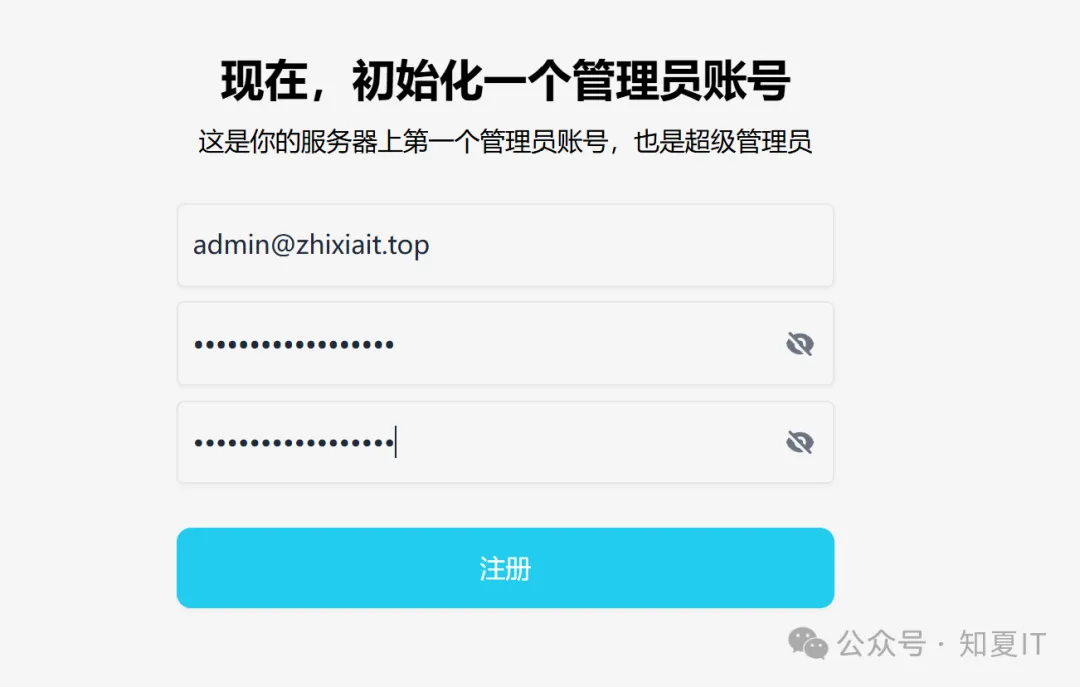
初始化管理员账号密码(账号可以是虚拟邮箱地址账号)
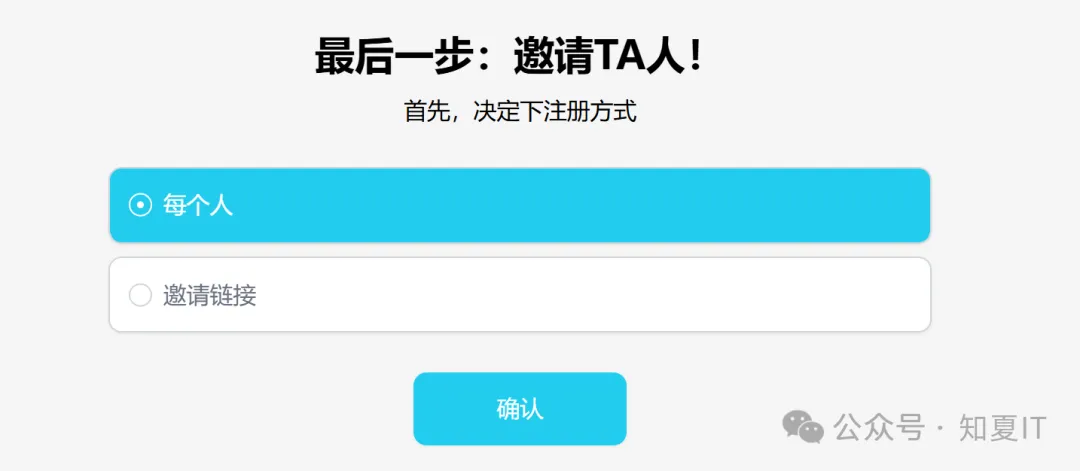
注册方式选择每个人
是否自动分配公网域名, 因我已有域名, 直接选择下一步

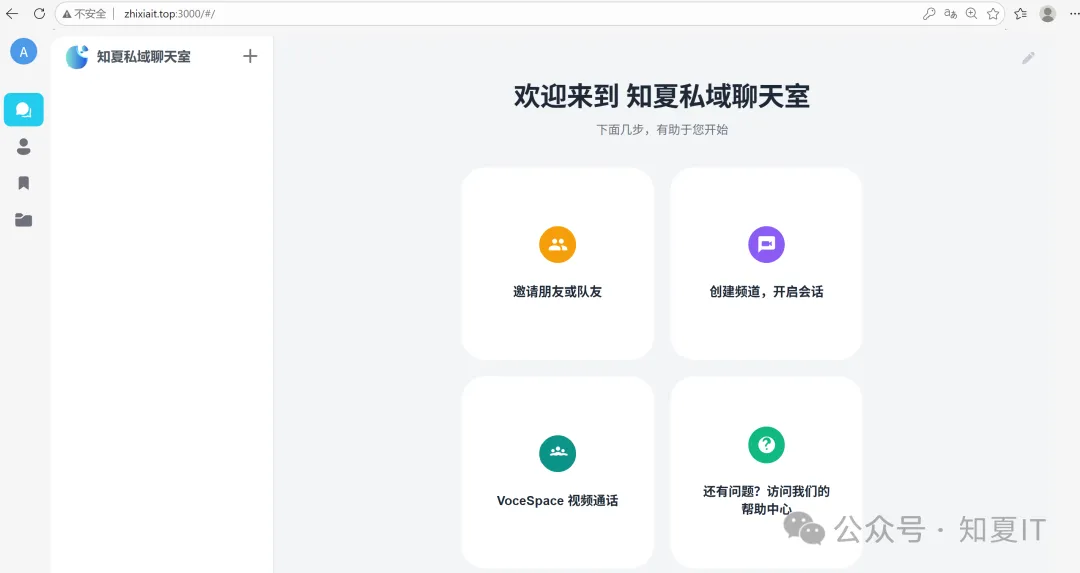
直接进入, 后续页面可进行一系列自定义设定, 这里不再说明

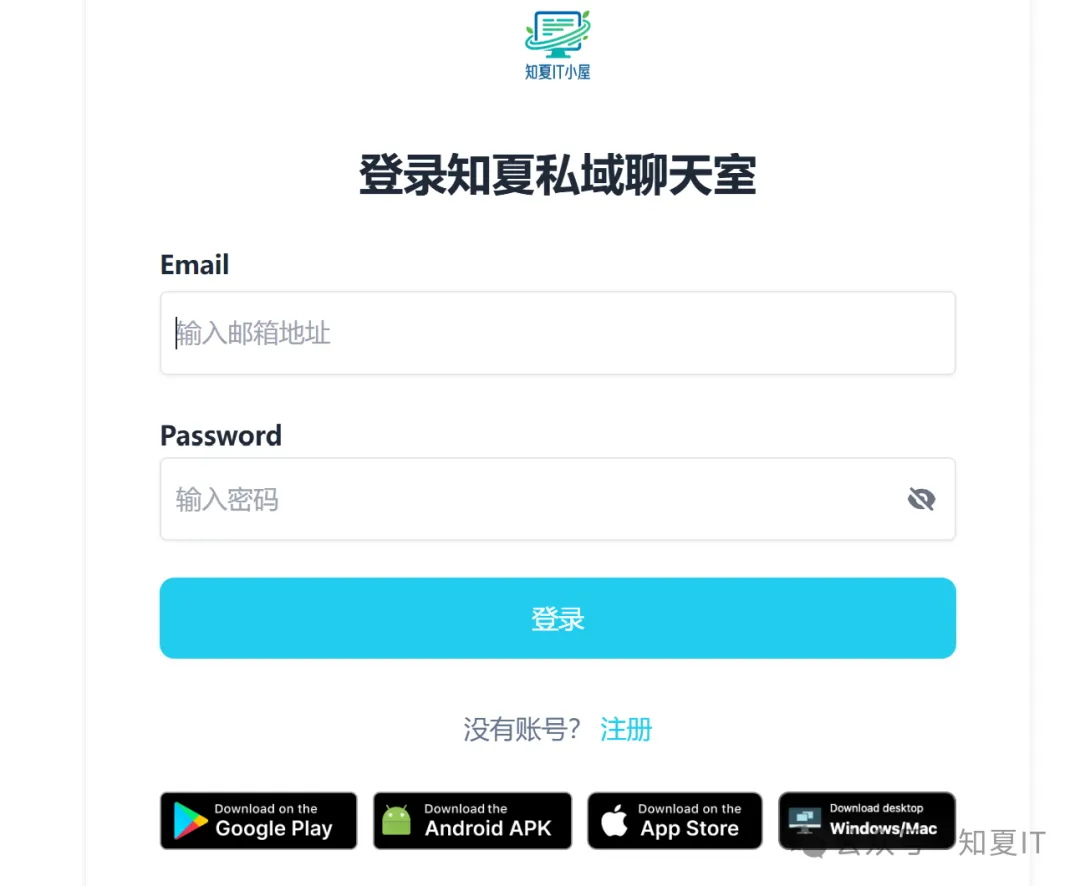
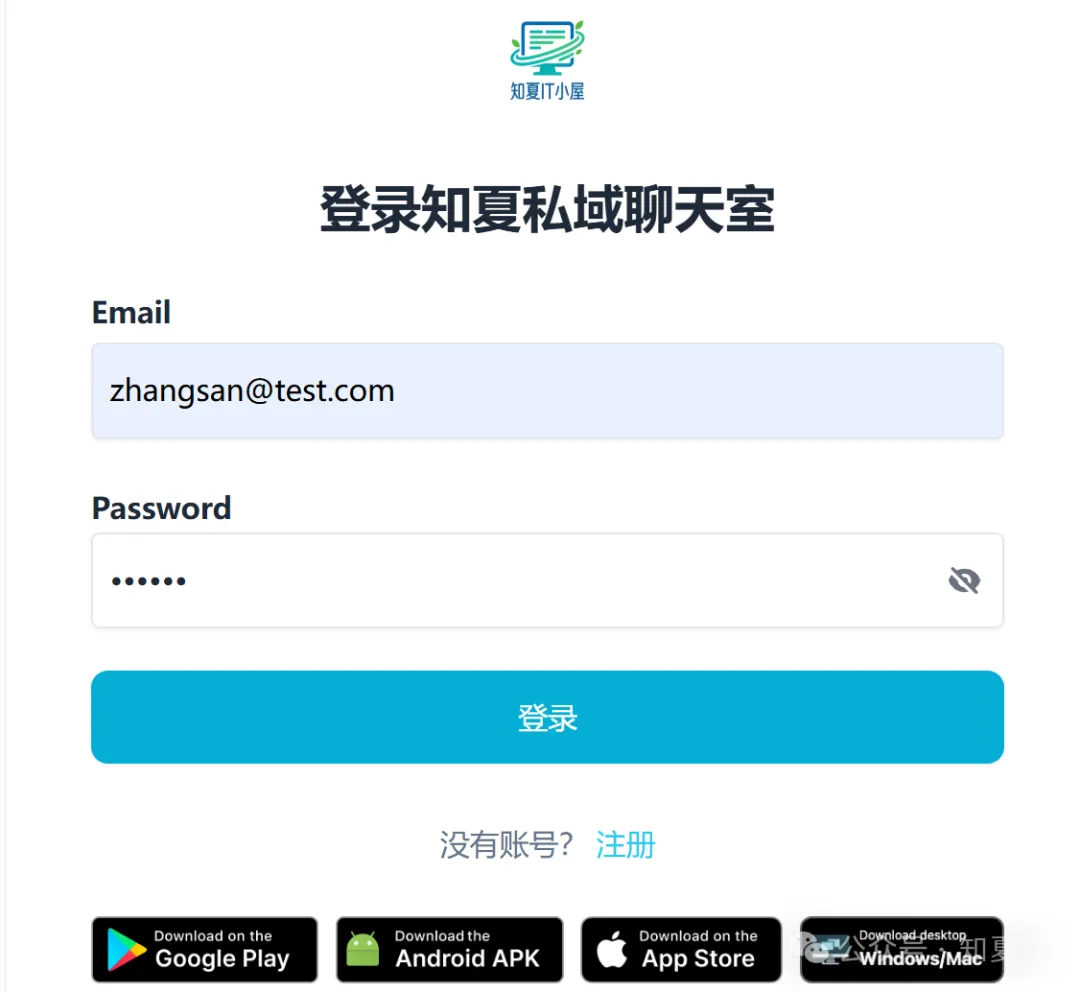
登录聊天室
使用浏览器(PC及手机浏览器均可), 输入http://zhixiait.top:3000进行访问, 可直接网页使用, 也可以选择对应客户端进行下载安装使用
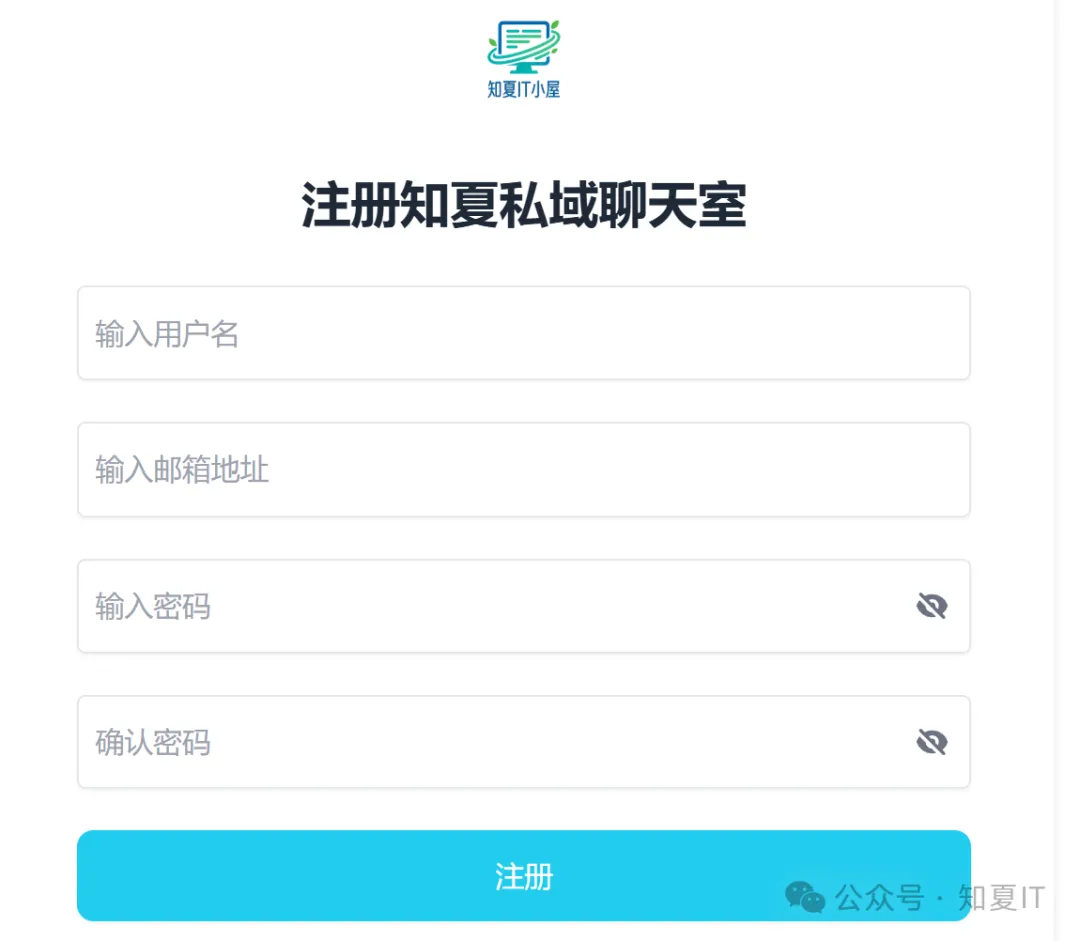
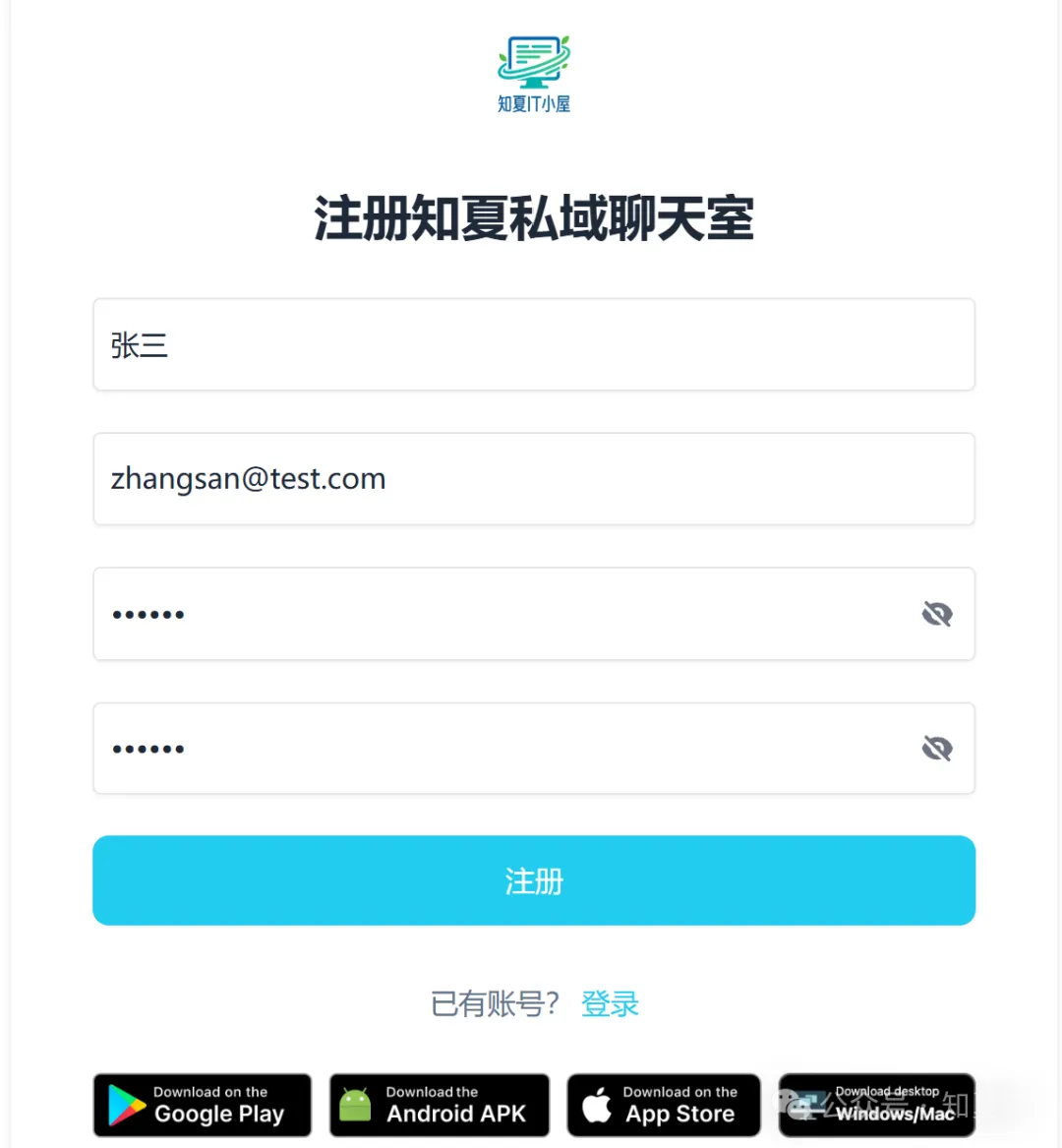
账号注册
输入用户名, 邮箱地址,以及密码进行注册(PS: 邮箱地址可以是虚拟地址, 邮箱地址会作为账户进行登录)
账户登录
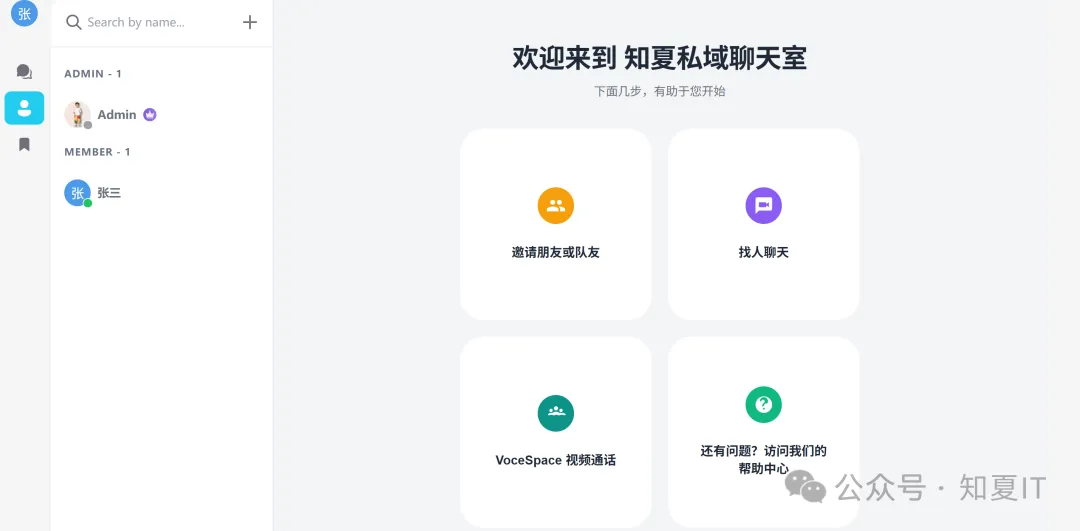
使用注册账户进行登录, 登录成功后就可以正常使用啦
手机客户端下载后,在服务器URL输入http://zhixiait.top:3000

输入账号密码进行登录
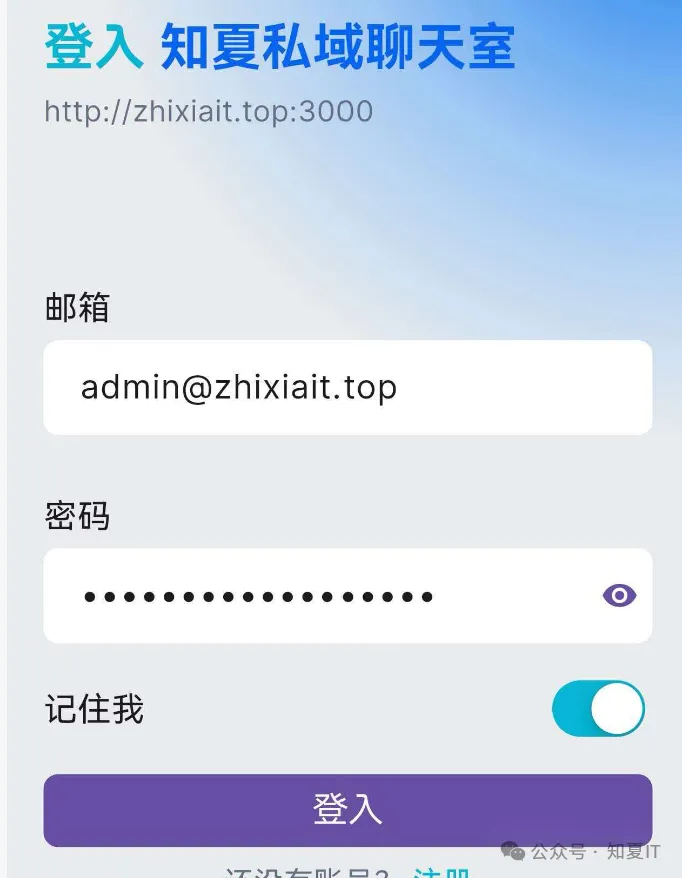
登录后就可正常进行通讯使用啦
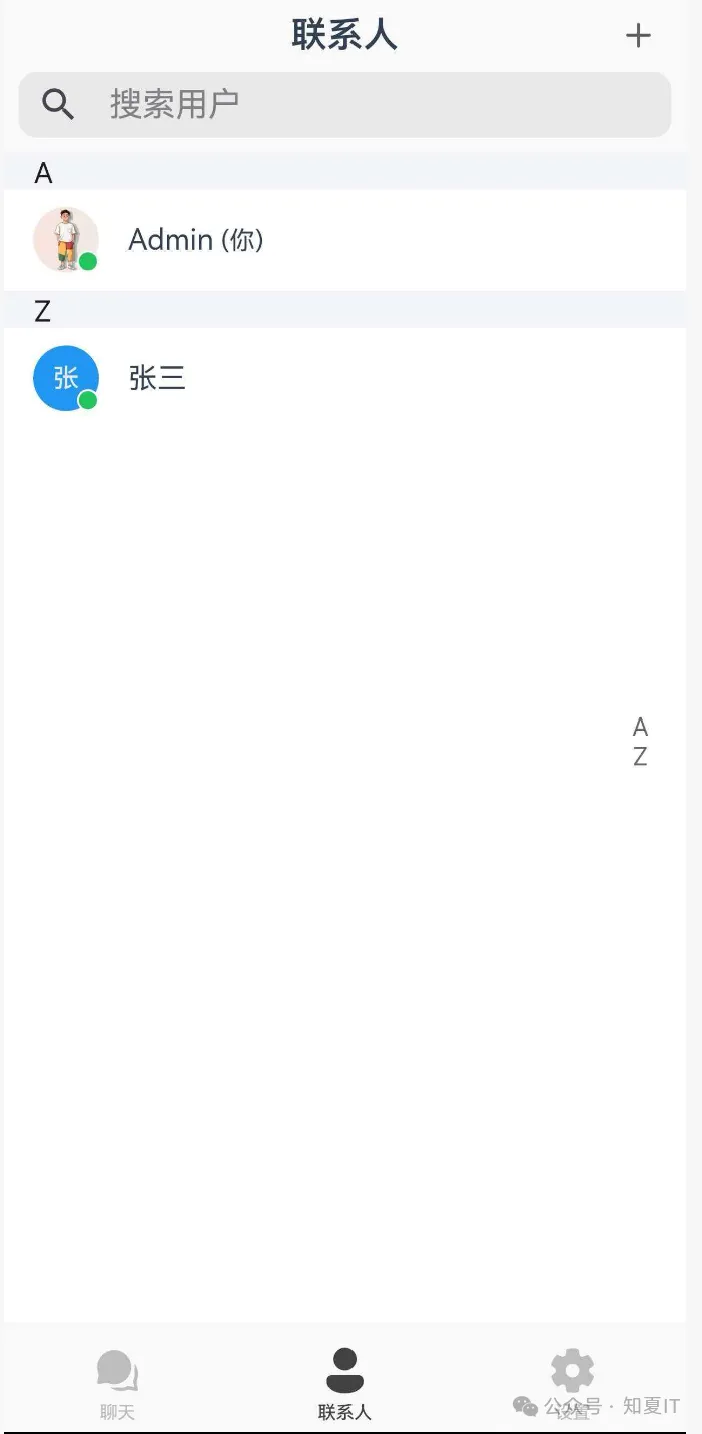
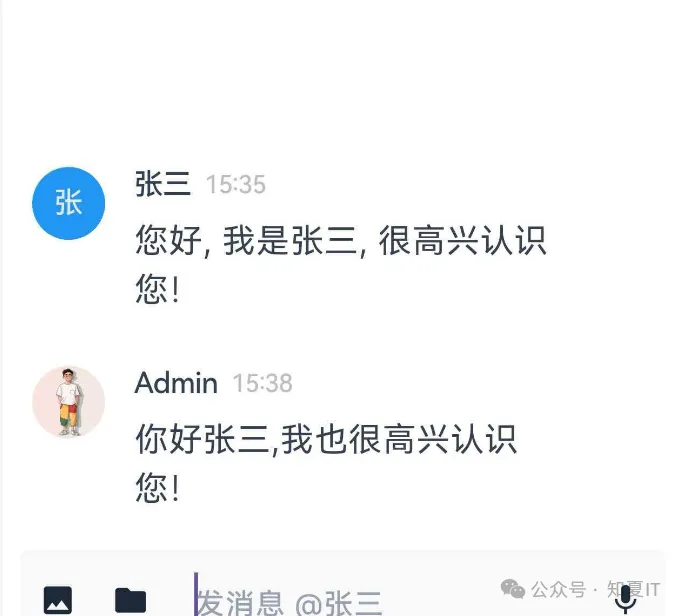
开放使用
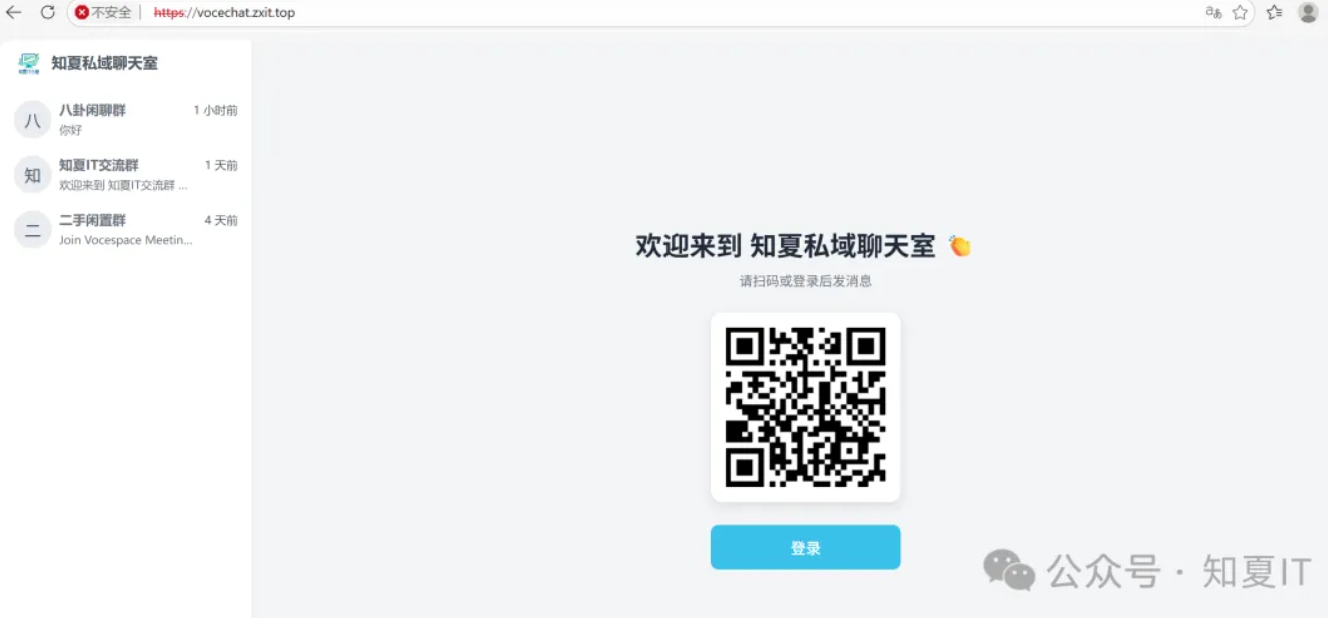
目前知夏私域聊天室已开放使用, 不限人数, 欢迎大家使用
因原服务器入口地址 http://zhixiait.top:3000 不安全, 现已关闭, 改为 https://vocechat.zxit.top 后面会专门出一期来说明如何修改

软件附录(复制链接至浏览器打开)
VoceChat镜像包
https://ug.link/Guzman-DH2600/filemgr/share-download/?id=868f09f95b534aaa84a30a4615fa362e
安卓版手机客户端
https://s.voce.chat/vocechat.android.apk
苹果版手机客户端(苹果应用商店搜索vocechat即可安装)
PC客户端
https://github.com/Privoce/vocechat-desktop/releases/latest



评论区